CaptureGem
CaptureGem 2.14.15: a Windows installer, Chaturbate Proxy recordings that survive quality switches, and importing unconverted Proxy recordings
CaptureGem 2.14.15 adds a Windows installer, makes Chaturbate Proxy tab recordings convert when the player switches quality, lets you import Proxy recordings that were never converted, gets more Stripchat and XLoveCam recordings converting, shows Jerkmate private shows as Private, makes Reset Data's configuration reset stick, accepts more pasted MyFreeCams and Flirt4Free links, keeps CaptureGem open on Windows machines where it closed right after starting, and keeps update checks working.
A Windows installer
CaptureGem for Windows now comes as an installer, CaptureGem-2.14.15-Windows-Setup.exe, as well as the zip. Run it and CaptureGem installs and starts. It needs no administrator rights, adds Start menu and desktop shortcuts, and shows up in Settings → Apps, where you can uninstall it.
The installer and the zip contain the same files and update themselves in the app the same way. Both keep your models, settings and recordings in %LOCALAPPDATA%\capturegem, so switching from the zip to the installer keeps them, and uninstalling never deletes them. If a copy from the zip is running when you install, setup closes it.
Older versions kept their settings in the folder you unzipped CaptureGem to, and copies updated since then still do. If config.json is in your CaptureGem folder, keep using the zip. The zip is still on the download page.
Windows SmartScreen may warn about the installer, as it does about the zip's CaptureGem.exe. Click More info, then Run anyway.
Chaturbate Proxy recordings convert after a quality switch
When Chrome's player is set to automatic quality, it switches between Chaturbate's qualities during a show, for example from 1080p to 360p and back when the connection slows down. In 2.14.13 and 2.14.14, CaptureGem refused to import a Proxy tab recording that held more than one quality. The recording never became a video, its files stayed in the proxy folder, and when the recording stopped on its own, its row disappeared from the Proxy tab without a message.
CaptureGem now saves the header of every quality the player can switch to, and joins each stretch of one quality at its own time. When the player fetched the same moment in two qualities, the more complete copy is kept. The recording converts into one video at the best quality captured, with the picture and sound in sync. Recordings that stay on one quality import as before.
When the player abandoned the download of a whole segment after already fetching the same video in smaller pieces, CaptureGem kept the empty download and deleted the pieces, so that stretch of video went missing and the conversion could fail. It now keeps the pieces. If you press Stop while a segment is still downloading, CaptureGem waits for it, up to 30 seconds, before importing, and the stream can't start recording again until the import has finished.
Import Proxy recordings that were never converted
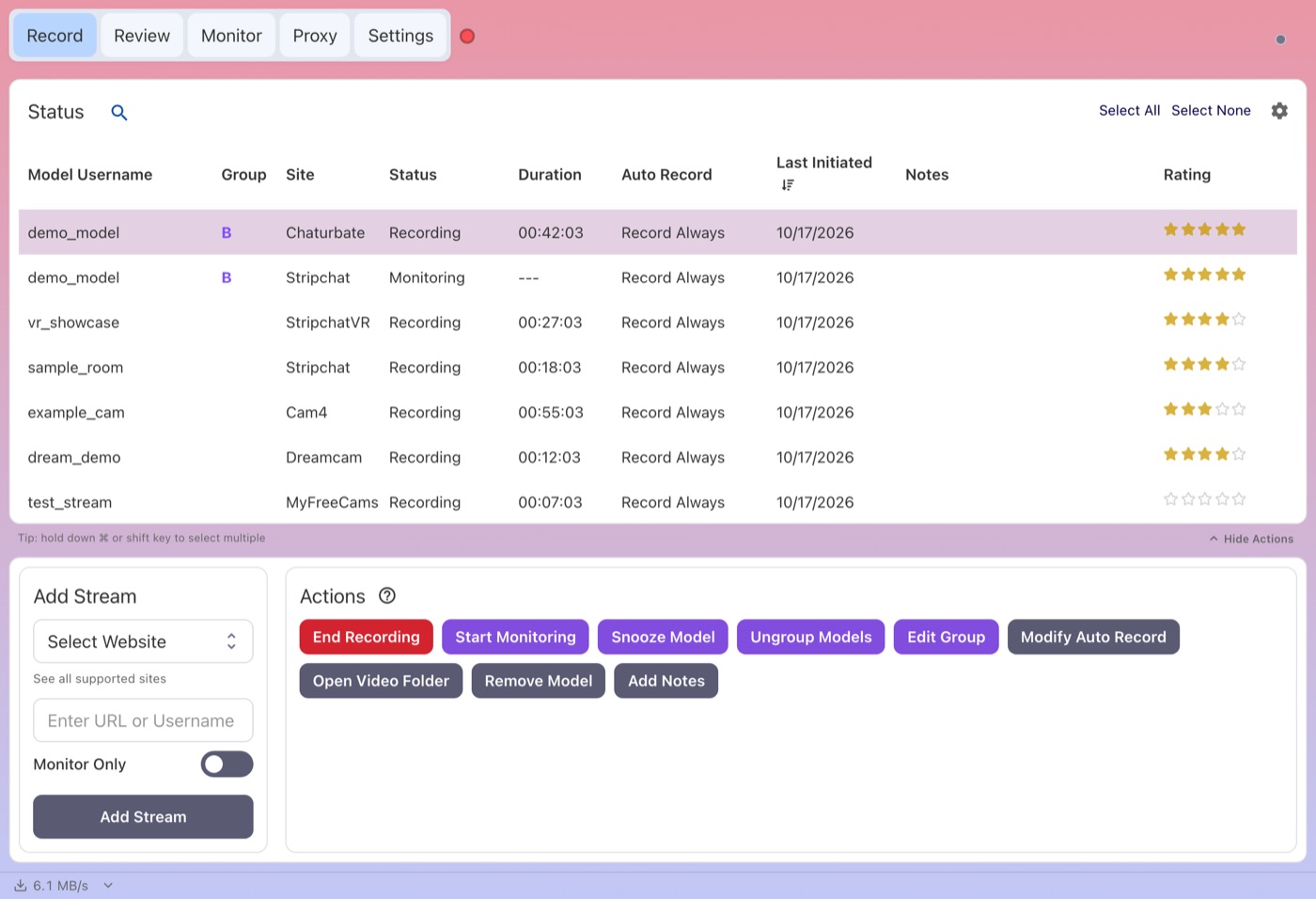
The Proxy tab has a new Recordings not converted section. It lists Proxy recordings whose files were captured but never turned into a video, for example because their import failed or CaptureGem closed while they were recording, with the site, model, start time and size, and why the last import failed if it did. Click Import to queue one for conversion. The video is named after the time it was recorded, and its length is measured to the last moment captured, not to when you imported it.
This also works for many recordings left over by earlier versions. A recording that can't be imported safely stays in the list with the reason, and its files are kept. The section appears only when there is something to import.
What's New
- CaptureGem stays open after a Windows update. After the October 2026 Windows update, CaptureGem 2.14.14 can close a few seconds after it opens on some Windows machines, because Chromium's sandbox, which CaptureGem's windows run in, crashes at start. When that happens, CaptureGem now restarts itself once with the sandbox turned off, and keeps it off for that version. Machines where the sandbox works keep it on, and each new version tries the sandbox again.
- More Stripchat recordings with damaged downloads convert. When a download was cut off partway, or left empty in the last seconds before a quality switch, the frames after it that depend on it couldn't be shown, and conversion failed with exit 6 on every retry. CaptureGem now leaves out the damaged part and the frames that depend on it, up to the next keyframe or the quality switch, usually a few seconds, and converts the rest. If more would have to be left out, or the stream restarted in that stretch, the recording's files are kept as before. This includes Stripchat VR and Proxy tab recordings. After you update, CaptureGem tries recordings that failed in an earlier version once more, while their files are still kept.
- XLoveCam recordings with a damaged packet convert. A single packet cut short in the stream could stop the conversion partway, and the recording then failed with exit 3 on every retry. In one 33-minute recording, the conversion stopped at 61 seconds. CaptureGem now converts such a recording again, leaving out only the packets the stream marked as damaged (7 in that recording), and notes how many in the recording's audit. Recordings that convert today are unchanged, and the same fix applies to other sites that send this kind of stream. Recordings that failed this way in an earlier version are tried once more after you update.
- Jerkmate private shows are recognized. When a Jerkmate model was in a private, exclusive or gold show, or on a break, CaptureGem showed an error ("Jerkmate request failed with status 403") instead of Private. These models now show as Private. When a recording's show turns private partway, the recording ends as Private instead of with an error, and the part recorded before it is kept and converted as usual. Streamate got the same fix in 2.14.14.
- XLoveCam models come back online. With several XLoveCam models added, a model CaptureGem couldn't find in XLoveCam's search could keep showing Offline after it went live, for as long as other XLoveCam models were being checked. This could happen to a model whose name is part of many other performers' names. Each model is now searched for again within 10 minutes. Connections to XLoveCam also check the site's security certificate now.
- Reset Data resets your configuration. Since 2.14.5, Clear Configuration and Full Reset in Settings → Reset Data said they had succeeded, but CaptureGem restored your models, settings, folders and license from its automatic backup as soon as it restarted. They now start from the default settings. The backups made before the reset are moved to a dated
before-resetfolder insideconfig_backups, so a reset made by mistake can still be undone. - Reset Data clears the right folders. When CaptureGem couldn't read its settings file, Clear Video Data emptied the whole videos folder, including unfinished recordings, and Clear Temp Data cleared the wrong folder. Both now clear the folders CaptureGem actually uses, never delete another CaptureGem folder inside them, and refuse a folder that holds CaptureGem's own data.
- Pasted MyFreeCams and Flirt4Free links work. For MyFreeCams, only
www.myfreecams.com/#namelinks worked. Other links, including the Share page that Open In Browser opens, were added as a garbled name that CaptureGem couldn't find. Share pages and their sub-pages, profile pages andmfc.imshort links now add the right model, and pasting one selects MyFreeCams. For Flirt4Free, any link without?model=added a model called "unknown-model". A model's room, bio, video and photo links now work. A link with no model name in it, such as a site's home page, now shows "Invalid username" instead of adding a broken entry. - Update checks can't get stuck. In March, our website briefly redirected the update check to another address. Some installs that checked for updates during those few hours kept following that redirect and stopped seeing update notices. We fixed this on our side earlier this month, so those installs see updates again. From 2.14.15 on, the update check also never uses a saved copy of the answer, and its results are kept in a log that Send to support includes. The first update check after starting could also get lost, so an update notice could take 10 minutes to appear. CaptureGem now checks as soon as it starts.
- No freezes while the disk is busy. When writing CaptureGem's list of recording times was held up, for example by a busy or full disk or an antivirus scan, the model list and the rest of the app could stop responding for seconds at a time. CaptureGem now writes that file in the background and keeps working.
- No stray errors for Monitor Only models. Rarely, when a Monitor Only model's recording finished just as CaptureGem cleaned up its folder, an errored entry saying the recording folder no longer exists appeared in Queue Status. Nothing was lost, and these entries no longer appear.
- No leftover probe files in model folders. Since 2.14.13, quitting CaptureGem while a recording was converting could leave
temp_normprobe_ortemp_durprobe_files in the model's folder. CaptureGem now removes them when it stops a conversion, and the next conversion of the recording removes any that remain. You can delete files left by 2.14.13 or 2.14.14. - More useful support uploads. When a recording is too large to send in full, Send to support now includes the damaged parts its audit names, and the parts around them, so we can reproduce the problem.
Download
Get CaptureGem from our download page.