 CaptureGem
How to Record From Flirt4Free: A Quick Guide
Record public Flirt4Free shows with the CaptureGem desktop app on Windows, macOS, and Linux. You don't need a Flirt4Free account.
1. Install CaptureGem
Download CaptureGem for Windows, macOS, or Linux and open the desktop app. Use the latest version for the most recent Flirt4Free fixes.
2. Find the model's name
Open the model's room on Flirt4Free. The address contains the model's name after ?model=, for example https://www.flirt4free.com/?model=model-name. Flirt4Free names are lowercase and use hyphens between words, and CaptureGem needs the name exactly as it appears there: model-name works, but Model Name or Model-Name doesn't.
3. Add the stream
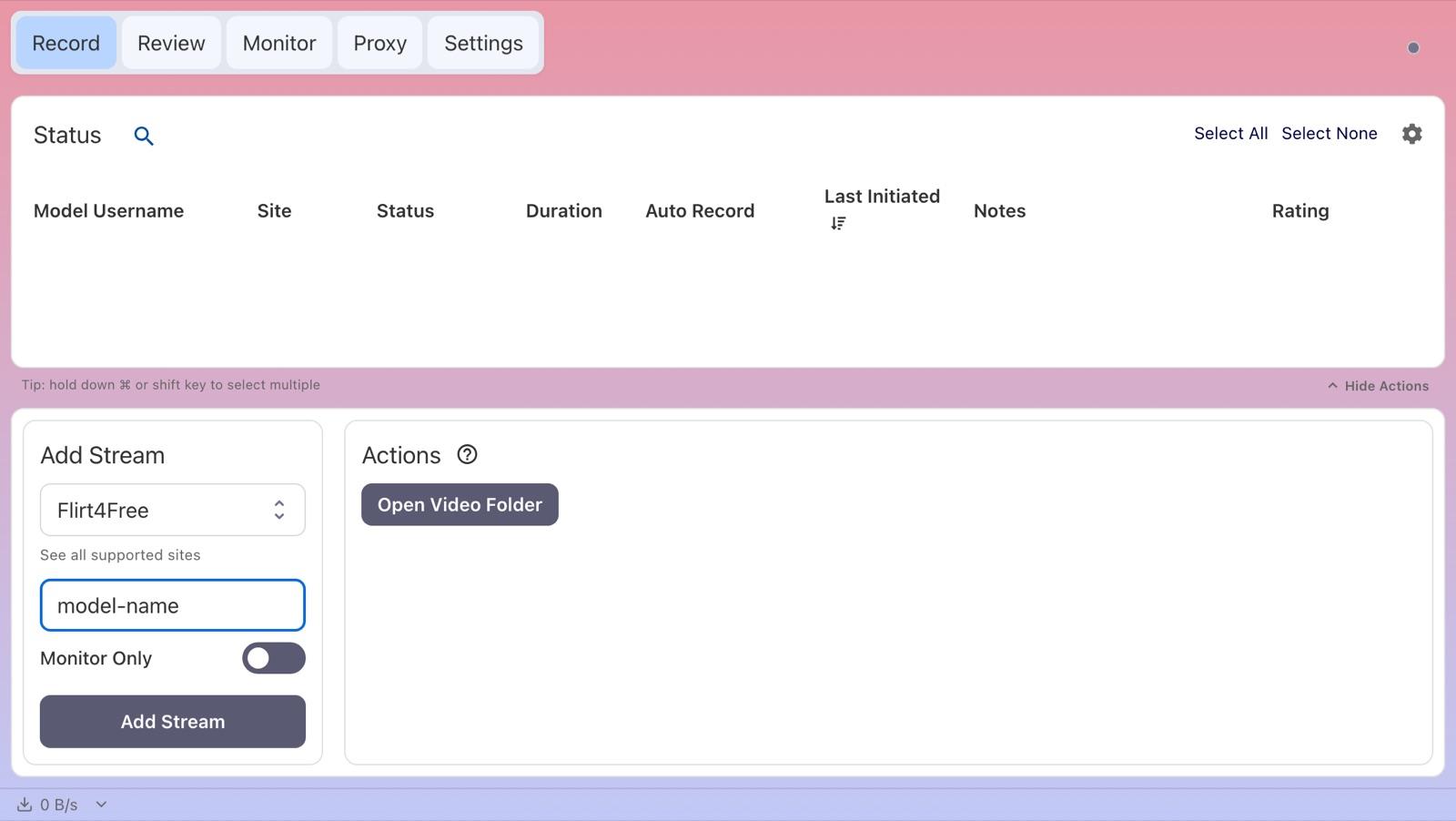
On the Record tab, paste a link that contains ?model= into Enter URL or Username in the Add Stream panel; CaptureGem selects Flirt4Free and takes the name from the link. You can also choose Flirt4Free under Select Website and type the name. Other Flirt4Free links don't contain the name, so type it instead of pasting those. Leave Monitor Only off so the stream is saved, then click Add Stream.
4. Record the show
If the model is in a public show, the status changes to Recording after CaptureGem connects to the room; on Flirt4Free this takes a few more steps than on most sites. Otherwise the status shows Offline or Errored:
- Offline: the model's room isn't open to the public.
- Errored with "username not found or offline": CaptureGem finds Flirt4Free models in the site's list of live models, so it can't find a model who is offline or whose name is misspelled.
Hover over a status to see more detail, including the reason for an Errored status.
Free version and auto-record
The free version saves up to 5 minutes per recording and lets you add up to 10 models. It records a model when you add or start them while they are live, so start the recording again if the model was offline. Premium removes those limits and adds auto-record: select the model on the Record tab, choose Modify Auto Record under Actions, and pick Record Always. CaptureGem then starts recording whenever the model comes online and restarts after a disconnect. To do this for every model you add, turn on Auto Record All Newly Added Models in Settings.
Open the Monitor tab to see live previews of everything you are recording.
5. Find your recording
When a recording ends, CaptureGem converts it into a video file; long recordings can take a little while. Open the Review tab to play, trim, tag or delete it, or click Open Video Folder on the Record tab. Recordings are saved as MP4 files by default. With Premium, each file is up to 60 minutes long by default, and auto-record starts the next file straight away. You can change the save location, the file length (Cap Video Segments at Duration (Minutes)) and the file container in Settings.
Flirt4Free notes and troubleshooting
- Name not found: Check that the model is live and that the name matches the ?model= part of their room address exactly. If you added a pasted link that had no ?model= part, the entry is named unknown-model; remove it and type the name.
- Slow connections: CaptureGem looks up the model, connects to the room's chat and then requests the video, all within Network Timeout (Seconds) in Settings > Advanced Settings. On a slow connection, a higher timeout gives these steps more time.
- "Checking your browser" page: CaptureGem gets past Flirt4Free's browser check automatically.
- Quality: To save bandwidth and disk space, set a lower limit for Flirt4Free under Max Resolution Per Site in Advanced Settings (applied in 2.14.11 and later).
- Private shows: Flirt4Free has no separate Private status in CaptureGem. CaptureGem records public shows only.
If a recording keeps failing, update CaptureGem, check that the stream plays in your browser, and ask in our Discord community. Premium members can also send a failed recording to support.